
Description
After an initial crawl of the engineering files has been completed and an index generated, the Bentley MicroStation Add-in for Shinydocs Cognitive Suite allows you to extract data from those engineering files and update the index with that data using the operation AddExtractedTextFromEngineeringDrawings.
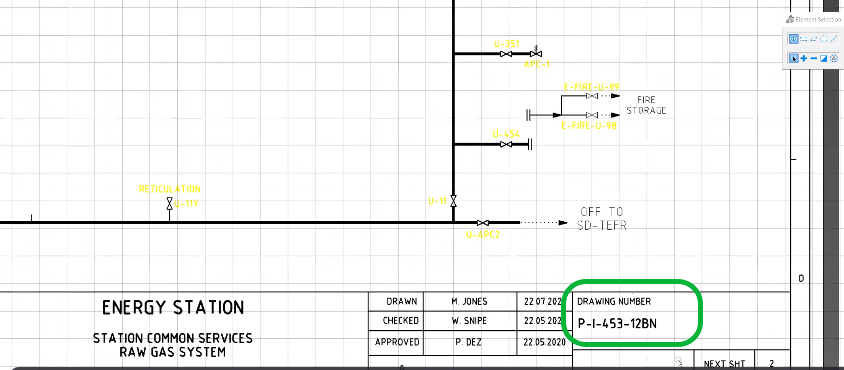
For example, in the following engineering drawing, Shinydocs MicroStation Add-in can automatically extract the Drawing Number (P-I-453-12BN) – or another data element within the drawing – and add it to the index where:
Field = Drawing Number; Value = P-I-453-12BN
Step-by-Step
Prerequisite
Prior to running Shinydocs MicroStation Add-in, ensure that the following has been completed:
installation of Shinydocs MicroStation Add-in - (Archived) Shinydocs MicroStation Add-in Installation Manual
a metadata crawl of the engineering drawings using the Cognitive Toolkit
Shinydocs MicroStation Add-in is query based and can only operate after an initial crawl of the metadata has been completed and an index created.
Running the command
Open the Command Line Interface for the Cognitive Toolkit.
Run the command: AddExtractedTextFromEngineeringDrawings. To run the command, provide the following parameters to the runscript tool:
Example:
CognitiveToolkit.exe AddExtractedTextFromEngineeringDrawings --query "C:\match_all.json" -u "http://localhost:9200" -i "shiny_index"
Query file
The query file is a JSON file that uses the standard ElasticSearch query language. By surrounding a field in curly braces, the AddExtractedTextFromEngineeringDrawings will replace that term with the value of that field instead.
Query Example
{ "match_all" : {} } Visualizer
The AddExtractedTextFromEngineeringDrawings command leverages Bentley MicroStation to allow you to extract data from your engineering files and update the index with that data. Standard fields [text and title block metadata (name value pairs)] can be extracted from:
.dwg (AutoCAD) engineering drawings
.dgn (MicroStation) engineering drawings
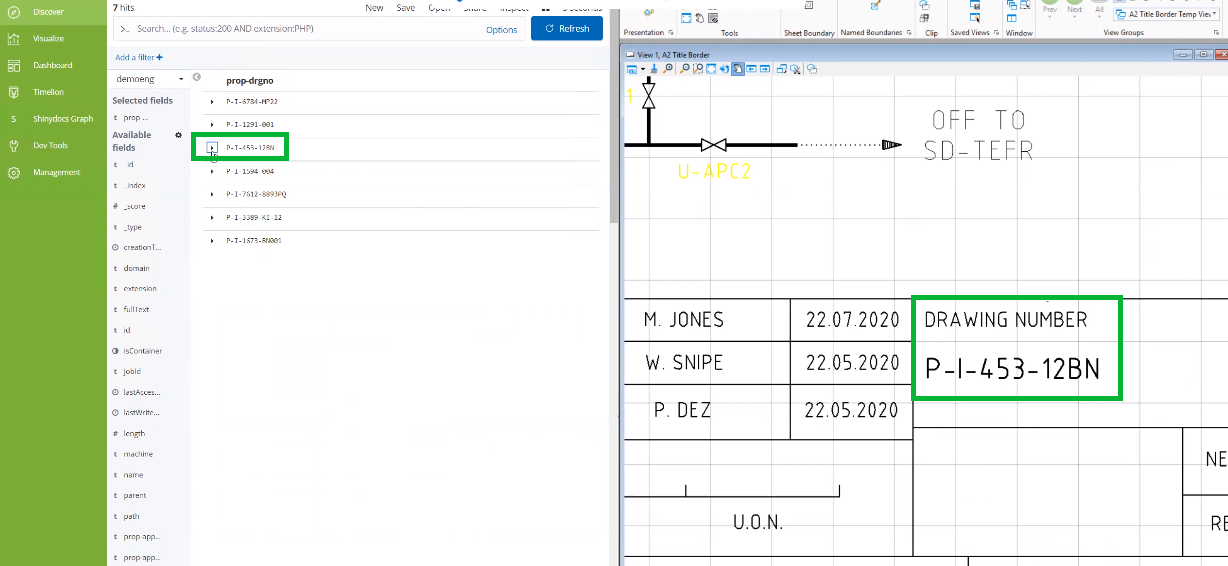
In the following example, the Drawing Number “P-I-453-12BN” was assigned to the prop-drgno field.
All block attributions have a key value pair and will be assigned to the proper field in the index.
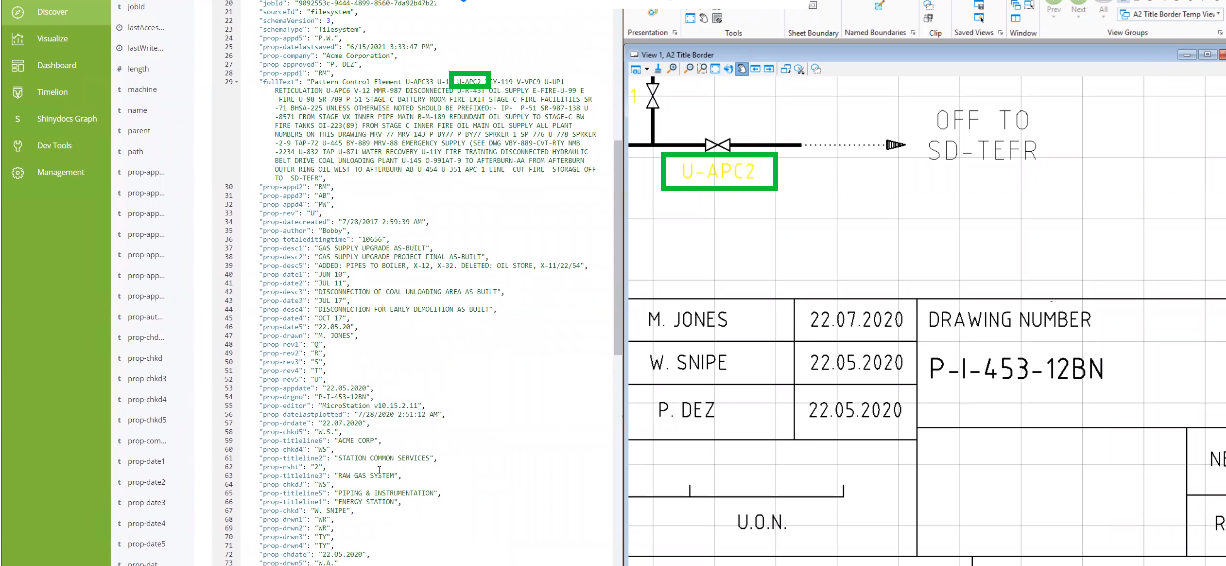
Any extractions that are NOT block attributions or are lacking a tag/value pair, will be included in the fullText field of the index.
In the example below, the extraction “U-APC2” has been added to the “fullText” field of the index in the left panel.
Congratulations! Now that all of the engineering drawing extractions are in the index, they are fully searchable!
For further assistance, see the MicroStation Frequently Asked Questions (FAQ)