
Advanced instructions for disposing of data from your file share.
Open the Cognitive Toolkit by opening a windows command prompt in Administrator Mode
Change directory (cd) to where you extracted the shinydocs-cognitive-toolkit-yyyy-mm-dd.zip file
To see all of the available options for the Dispose tool, use the following command within the root folder of the Cognitive Toolkit:
CognitiveToolkit.exe Dispose --help
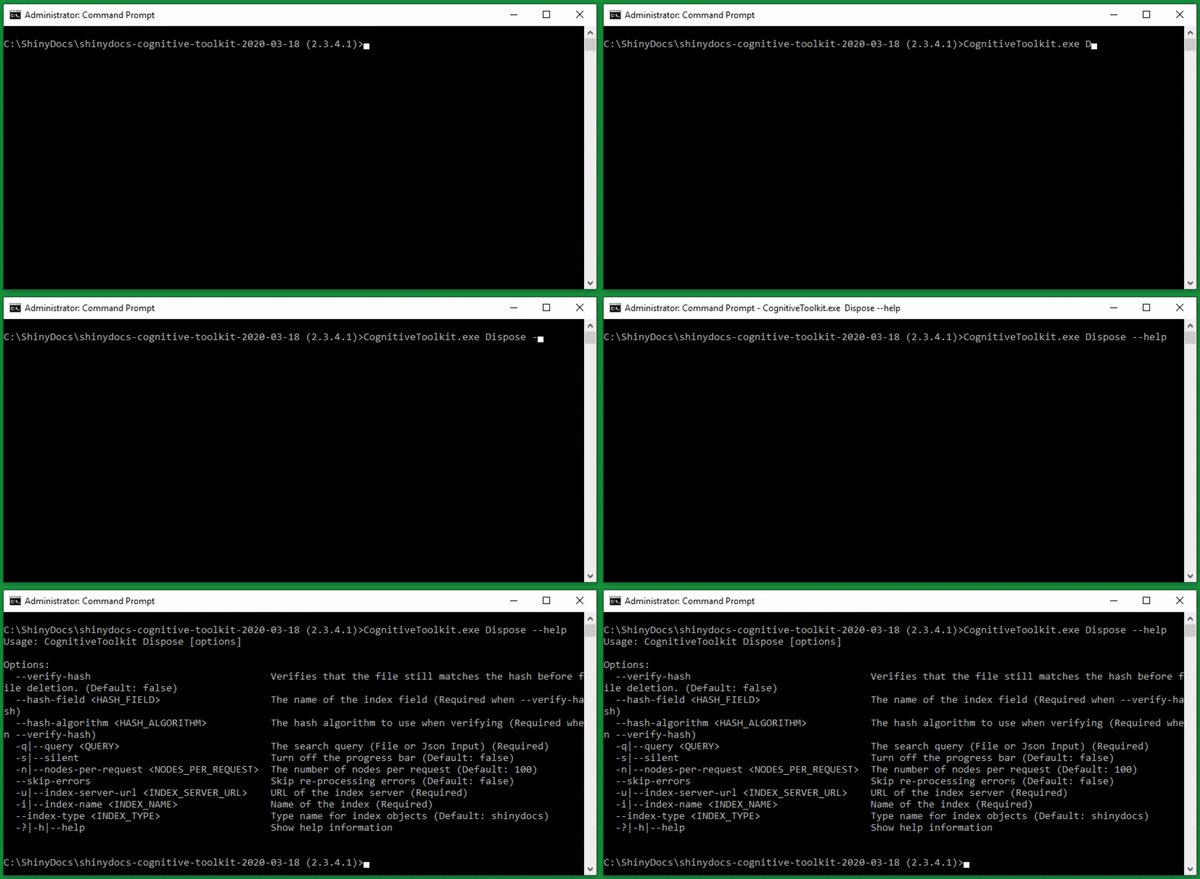
Command options: