
There are two types of timestamps that most sites use. Relative timestamps display the number of minutes, hours, days, weeks, or years ago a post was published. Absolute timestamps display the exact date and time a post was published.

Shinydrive is set to display relative timestamps by default.
Enabling a Custom Date Format
Log into Shinydrive Admin
Navigate to GENERAL SETTINGS
Enable Custom Date Format
Enter the new date format
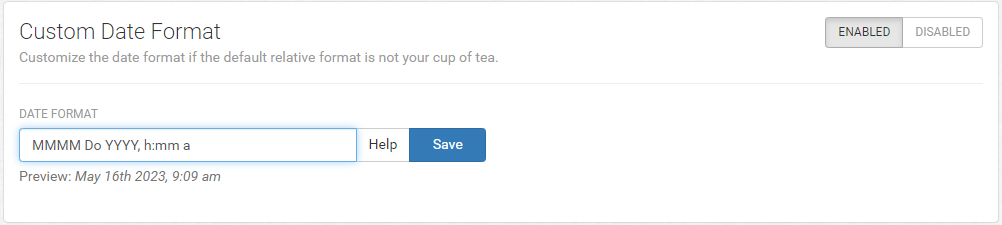
Review the Preview to validate
Save
Example Date Formats
MMMM Do YYYY, h:mm a
Preview: May 16th 2023, 9:09 am
MM/DD/YYYY hh:mm A
Preview: 05/16/2023 09:09 AM
LLLL
Preview: Monday, 16 May, 2023 9:09 AM
Supported Tokens
Supported Single Tokens (Canada)
There are also localized formats represented by a single Token that can be used.