Key Takeaways
Legal records management keeps every law firm record findable, protected, and safely deleted when the rules require. Most firms struggle because records sit outside the document management system (DMS), where they can have limited visibility. A strong legal records management strategy covers everything within your DMS and beyond, and reduces risk.
- In Mattern’s 2024 law firm survey, 94% of firms had an information governance policy, but only 4% reported strict compliance.
- A law firm document retention policy ties each retention period to an event, such as seven years after a matter closes.
- Defensible disposition means a law firm deletes records only under a written schedule, after a legal hold check, with a log.
- Law firms should separate firm-owned records, like trust account files, from client-owned records before a matter closes.
- Electronic records, including email and Teams chats, follow the same retention rules as paper records at a law firm.
Legal records management gets real the day an audit asks where client data lives, and nobody knows. That gap is risk. Every old file you keep is something a hacker can steal, a subpoena can reach, and a client can question.
Files sit everywhere: the DMS, inboxes, Teams, OneDrive, and old shared drives. Lawyers and legal staff find the DMS clunky, so they save files wherever is easiest. Your retention policy says when to destroy old files, but at many firms, that doesn’t happen on time.
The good news? You can shrink that risk one step at a time. Grab a coffee, and let’s dig in.
What Is Legal Records Management?
Legal records management is a set of processes and strategies a law firm uses to manage the records it creates and receives. It covers how your firm files, organizes, finds, protects, keeps, and destroys records. It also follows privacy laws, bar rules, and each client’s own terms.
Firm Records vs. Client Records
Your firm owns some records, and your clients own others. This split decides who gets what when a matter closes or a lawyer leaves. Your provincial law society or state bar sets specific rules for what counts as a firm record and what counts as a client record.
Here's a typical breakdown of which documents belong to each category:
- Firm records: financial files, trust account records, and internal admin.
- Client records: the documents clients gave you and the work you did for them.
What Counts as a Record?
A law firm record is any document that proves an action or decision, on a matter or in running the firm. It shows who acted, keeps the context, and stays fixed once it’s final. Format doesn’t matter; an email counts the same as a signed letter.
At a law firm, records typically include:
- Engagement letters and contracts
- Pleadings and court filings
- Discovery and evidence files
- Case notes and research
- Wills, deeds, and other signed originals
- Emails and chats about a matter
- Billing and trust account files
What Is Not a Record?
Some files aren’t records at all, so they don’t need a retention period. These include:
-
Ads, newsletters, invitations, and spam
-
Blank forms and templates
-
Published reference material
-
Personal emails and files
-
Extra copies of a final record
Other files are short-term records, like working drafts, quick notes, and meeting reminders. You can usually delete them once they’ve served their purpose.
Why Legal Records Management Matters for Your Firm
Good legal records management pays off in three big ways, including saving your firm time and money, lowering risk, and earning client trust.
Cost and Time Savings
Lawyers and legal staff spend less time hunting for files and more time on client work. Fewer old and duplicate files also mean less storage, office space, and offsite fees. In Mattern’s 2024 survey, offsite paper storage costs worried 36% of large firms and 57% of small firms.
Lower Risk and Stronger Compliance
You keep what the law requires and delete what you no longer need. That means less data at stake if you’re breached. A clear record of what you keep and delete also helps you meet privacy laws and pass audits.
Stronger Client Trust
Clients now ask where their data lives, who can see it, and when you’ll delete it. They ask in security questionnaires, audits, and outside counsel guidelines. When you can answer fast and back it up, clients trust you with more work and referrals.
The Risks of Poor Legal Records Management
Weak records management opens your firm to three kinds of risk: security and privacy, client and cost, and retention.
Security and Privacy Risk
In the ABA’s 2023 Legal Technology Survey, 29% of lawyers said their firm had a security breach. The more old files you keep, the more data a breach exposes. Every extra year of files means more client data stolen, more clients to notify, and higher costs. Further, old documents are often accessible to staff members, so they can see files they shouldn’t.
Client and Cost Risk
Many clients set rules for the law firms they hire, in documents called outside counsel guidelines. These rules often limit how long you can keep their data. In Mattern’s 2024 survey, firms said 65% of clients push for those clear limits. Keep data past those limits, and you break your client’s terms. Your storage and software costs also grow every year you keep everything.
Retention Risk: Keeping Too Much or Too Little
Keep records too long, and a lawsuit can pull in files you no longer need. In fact, 44% of firms worried about a subpoena for over-retained information. Delete too early, and you can’t answer an audit, a bar inquiry, or a client request. Your bar or law society sets how long you must keep trust account records.
A strong records management strategy enables you to keep a pulse on what you have and delete records safely — at the right time.
Legal Records Management Outside Your DMS
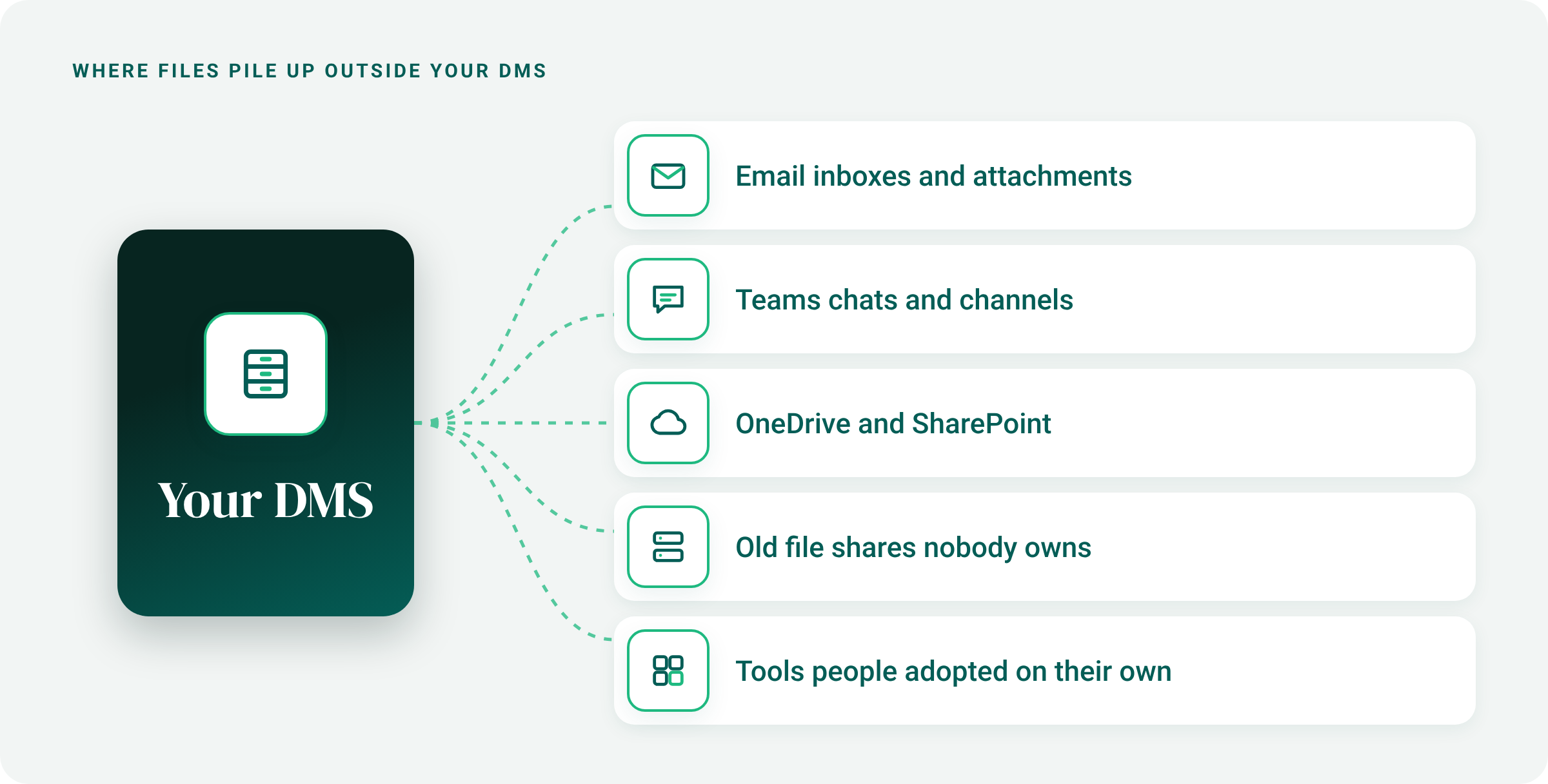
Most firms use a DMS, such as iManage or NetDocuments. However, a DMS only governs what lawyers and legal staff save inside of it.
Everything else piles up in the following:
- Email inboxes and attachments
- Teams chats and channels
- OneDrive and SharePoint
- Old file shares nobody owns
- Tools people adopted on their own
Policies May Not Be Enforced
Mattern & Associates ran a 2024 information governance survey, reported in ILTA’s Peer to Peer magazine. 94% of firms have an information governance policy, but only 4% report strict compliance. Another 44% report substantial non-compliance with their own policies.
A policy nobody follows protects no one. Importantly, in , a written rule you ignore can look worse than no rule at all.
Data Spreads Without Limits
27% of firms have no formal structure for network share drive content. 42% have no strategy for limiting data sprawl.
Unlike a DMS, a share drive never asks for a client or matter when you save. Files land wherever someone puts them, with nothing saying what they are. Retention rules depend on that information. If nobody can safely delete anything, it all stays.
Email May Not Get Deleted
For lawyer email accounts, the most common retention schedule is none or unlimited (47%). 33% of firms keep former lawyers’ email accounts indefinitely. Nobody uses those inboxes, but they still hold years of client advice and strategy. Each one is a target in a breach and fair game in a subpoena.
People Struggle to Find What They Need
General workplace research tells the same story. In a 2023 Adobe Acrobat survey of US workers, 48% said they struggle to find documents quickly. In the same survey, 47% called their company’s digital filing method ineffective.
Everyday habits make it worse. Answering one client question can mean digging through folders and opening file after file. A file saved to the wrong folder can stay lost for good. At a law firm, every minute spent searching is a minute not spent on client work.

How to Write a Law Firm Document Retention Policy
A law firm document retention policy tells everyone what to keep, for how long, and how to destroy it. Building one involves knowing what records you hold, setting retention periods, covering every record format and legal hold, and training people. Here’s how, in four steps:
1. Know Which Records You Hold
- List every type of record your firm creates or receives, on paper and in every system.
- Define what counts as a record at your firm, such as any file that proves an action or decision.
- Note where each record type lives.
- Mark which records your firm owns and which belong to clients.
2. Set Retention Periods
- Tie each period to an event, like “seven years after the matter closes.”
- Check bar rules, tax law, and each client’s outside counsel guidelines.
- Give wills and estate files long periods, and transitory records short ones.
- Ask how long each record stays useful, and decide how much risk you’ll accept.
- Keep notes on your research to back up each decision.
3. Cover Every Record Format and Legal Hold
- Apply the same rules to paper, email, chat, and backups.
- List the file formats you accept, and set rules for overwriting backup media.
- Pause destruction for any record tied to a legal hold.
- Add steps for a data breach.
Pro Tip: Set a retention period for personal folders and extranet shares, not just the DMS. In Mattern’s 2024 survey, unlimited retention was the most common schedule for extranet file shares (37%) and personal user folders (57%).
4. Train Your Team
- Turn the policy into a standard operating procedure staff can follow.
- Train everyone and retrain in tandem with policy changes.
- Update vendor agreements to match.
- Track which cloud tools people use for firm files.
A written policy shows you act consistently and in good faith, especially when you destroy records. The result is your retention schedule: one page that shows every record type and when it goes.

Legal Records Management Best Practices
A legal records management policy only works if people follow it. Organizing files consistently, only keeping what you need, and ensuring you protect PII are key elements of good legal records management.
Organize All Files the Same Way
Choose a naming pattern, like client, matter, document type, and date. Then set up client and matter folders the day a matter opens, so every file has a home from the start. Firms that do records management well work this way. In Mattern’s 2024 survey, two-thirds of firms with mature programs set up folders at matter opening.
Only Keep What You Need
Keep one final copy of each document. Move files nobody has opened in a year to separate, lower-cost storage. Then clean up on a set schedule, monthly or yearly. Each time, delete what your retention schedule says can go.
Protect Sensitive Files
Sensitive files include ID numbers, health records, financial statements, and privileged advice. They often hide outside the DMS, in old share drives, inboxes, and spreadsheets. Find where those files live. Then give access only to people working on the matters that need those files. Remove access when someone leaves the firm or a matter closes, and review who can open what each year.

Your Law Firm File Management Checklist
Use this checklist to see where your firm stands today. Every unchecked box gives you a place to start.
☐ We have a written retention policy, approved by the firm.
☐ Our retention schedule covers every record type and format.
☐ We know which records belong to clients and which belong to us.
☐ We know where files live outside our DMS.
☐ We follow one file naming pattern.
☐ We save emails and attachments to the right matter.
☐ We check for legal holds before we delete anything.
☐ We delete old files on a set schedule, and we log what we delete.
☐ We know where sensitive client data sits.
☐ One person or team owns records management.
☐ We can find and package a lawyer’s files when they leave.
Defensible Disposition: Deleting Files Safely
Defensible disposition means deleting records in a way that you can explain and prove later. If a court, regulator, or client asks why a file is gone, you can show your written policy required it. Without that proof, a routine deletion can look like you destroyed evidence.
Four things make disposition defensible:
-
A written retention schedule your firm’s leadership approved
-
A legal hold check before anyone deletes anything
-
A person who reviews and approves each batch
-
A log of what you deleted, when, and why
Many firms avoid deleting anything because they fear getting it wrong. Old files tend to pile up, leaving more for a hacker to steal or a subpoena to reach. Defensible disposition enables your firm to delete with confidence and prove you did it right.

Who Owns Legal Records Management at a Law Firm?
At most firms, a records manager or information governance leader owns legal records management. It’s usually a dedicated role. At smaller firms, an office manager or managing partner often owns it. In Mattern’s 2024 survey, 86% of firms had positions dedicated to records and information governance.
Whoever the owner is, they usually write the policy, keep the retention schedule current, and approve deletions. Other teams can also play a part. Here's how:
- IT runs the systems and keeps them secure.
- Risk or the firm’s general counsel manages legal holds.
- Knowledge management keeps useful work easy to find.
- Lawyers and legal staff follow the policy day to day.
Manage Legal Records Across Systems with Shinydocs
Your firm can’t move every file into the DMS, and it doesn’t need to. Shinydocs lets your team manage records where they already sit, across every system. Most firms aren’t there yet. ILTA’s 2026 Technology Survey found fewer than one in five firms have sophisticated compliance tools.
What Your Team Gets
- One view of files in your DMS and every system around it
- One retention schedule, applied the same way everywhere
- Sensitive files found, even misnamed or misfiled ones
- People in control of every deletion
- A log that proves every deletion followed your policy
- Client files that never leave your environment
How It Works

- Connect your systems. Link your DMS, email, Teams, OneDrive, SharePoint, and file shares to one central search. Nothing moves, so lawyers keep working as usual.
- Sort every file. Shinydocs reads what’s inside each file and classifies it by record type, not just its file name.
- Apply retention schedules and delete what you don't need. Your team checks edge case files and legal holds. Then you apply automatic retention schedules to everything else. Every deletion is logged, and duplicates and files with no business value stop bloating your storage.
Matter Mobility: Transferring Matters When a Lawyer Leaves
Lawyers leave law firms more often every year. Firm Prospects counted 3,009 lateral partner moves at Am Law 200 firms in 2025. That’s a five-year high, up 10% from 2024.
When a client's files move, your firm needs to find and package all the right files. To do this, your team searches your environment, including your DMS, mailboxes, Teams, and file shares.
When you can see every file from one search bar, a lateral move becomes a checklist, not a scramble. Shinydocs' matter mobility solution reads what's inside each file, not just file names — so your team can find every file with confidence. When it comes time to make the transfer, your team can also tag documents to request transfer approval from lawyers and other legal staff.
Take Control of Legal Records Management
Legal records management doesn’t have to be a giant, scary project. You just need a clear plan and a few good habits.
Picture this. Every file has a home, and every record follows its schedule. A client asks where their data is, and you answer in minutes. A lawyer leaves, and you’re ready.
Skip it, and the mess keeps growing. Files pile up, storage costs climb, and every old file adds risk.
So start small. Pick one box on the checklist and tick it off this week. When you’re ready for the bigger picture, book a meeting. We’ll show you how your team can govern records across every system.